An AI-Empowered Artist Workflow
Role: Art Director / Artist | Company: Everi, IGT | Years: 2024-2026 | Focus: AI-Assisted Visual Development, Art Direction, Workflow Design
Challenge
When generative AI started becoming useful for game art, the business appeal was pretty obvious. You could explore ideas, styles, characters, environments, and color directions incredibly fast.
I didn’t want a process where an artist typed a sentence, picked the prettiest result from a bunch of random dice rolls, and called it good.
Artists should still be making decisions throughout the process – keep the experts in control of their work.
So I started experimenting.
For me the question wasn’t “should we use it?” – it was “…how?”
We still needed:
- Authorship
- Taste
- Art Fundamentals
- Reproducibility
- Legal Guardrails
Starting With Art
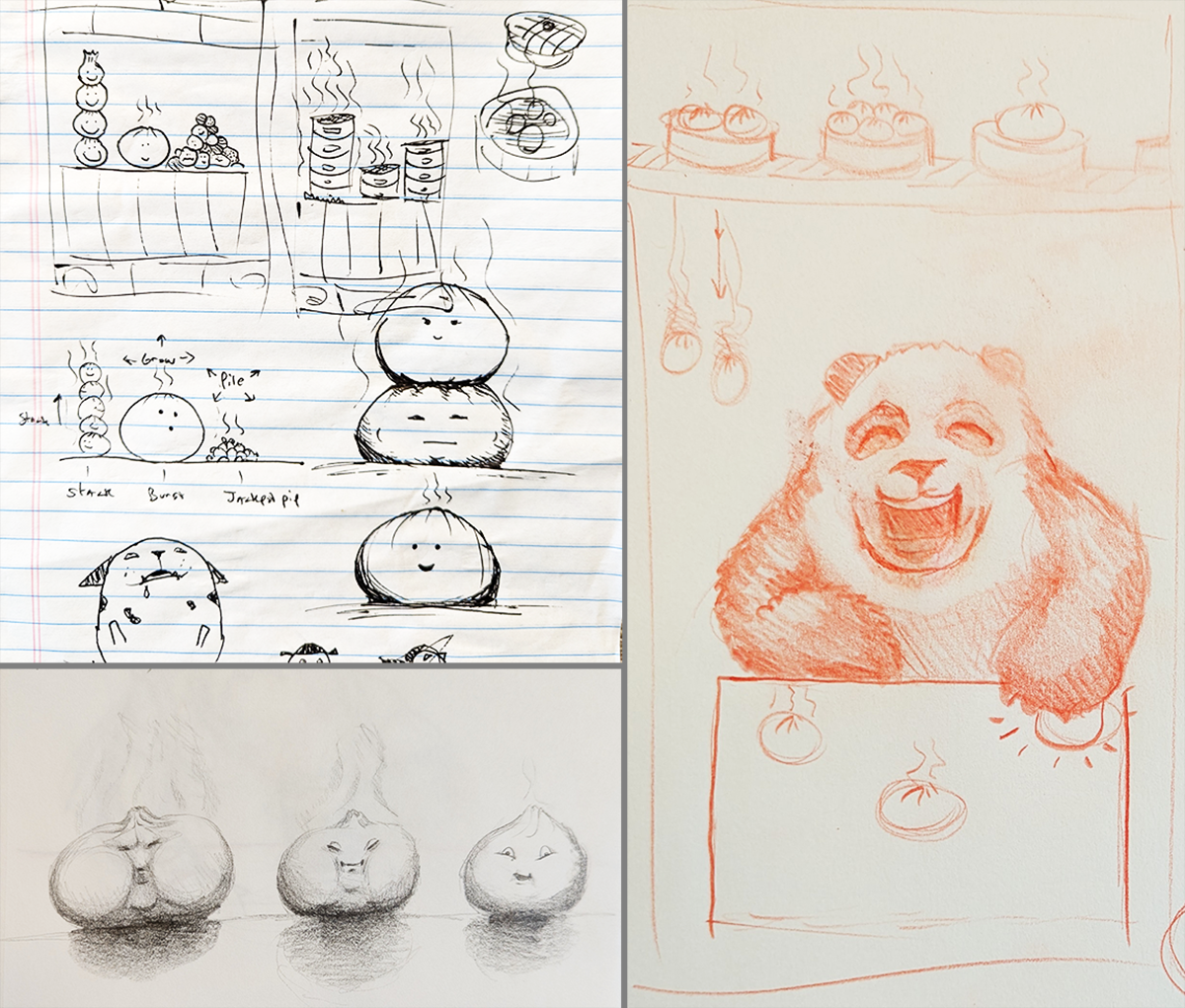
One of my early tests came from a game idea that I had, built around a hungry panda and steamed baozi.
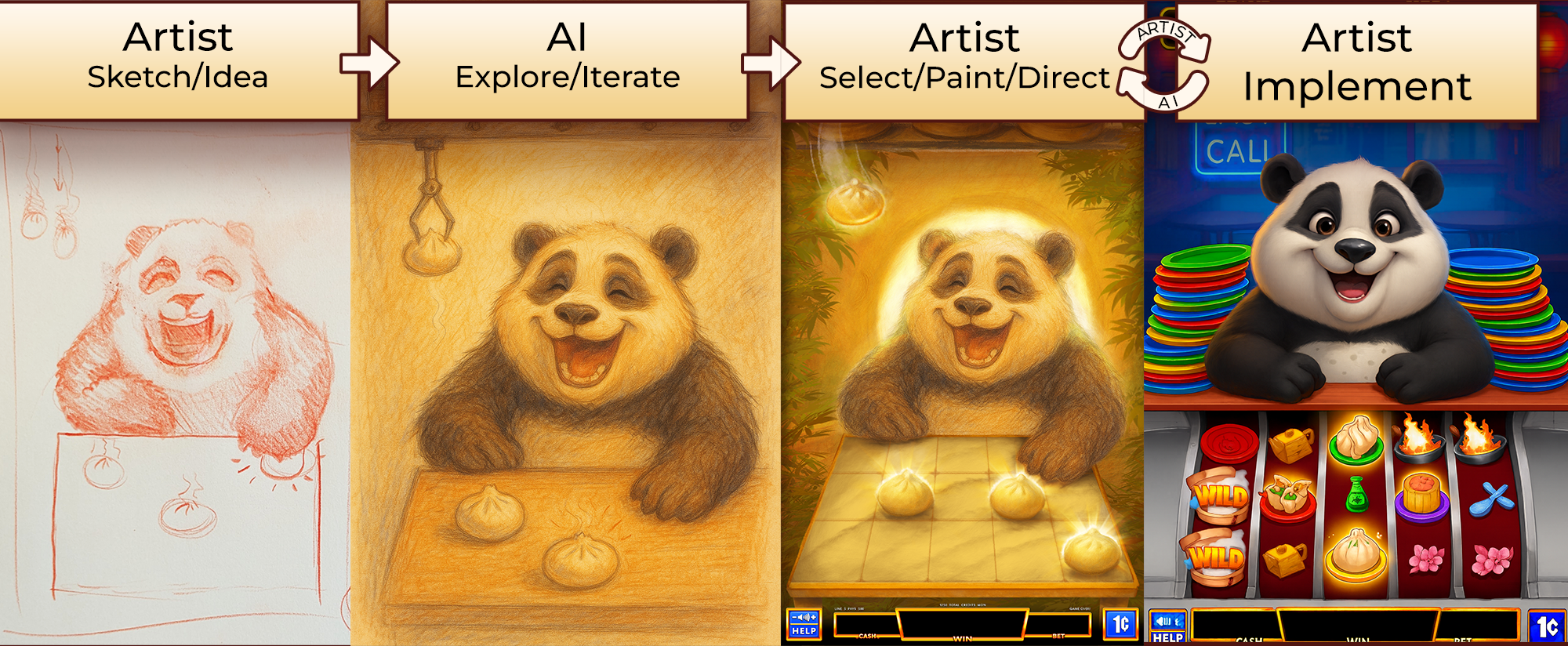
Before even touching AI, I grabbed a pencil.
I sketched the mechanics of the buns characters. I explored the Panda and how he might interact with them. It was just me thinking on paper.
The idea existed before the AI did anything with it.
Collaborate with AI
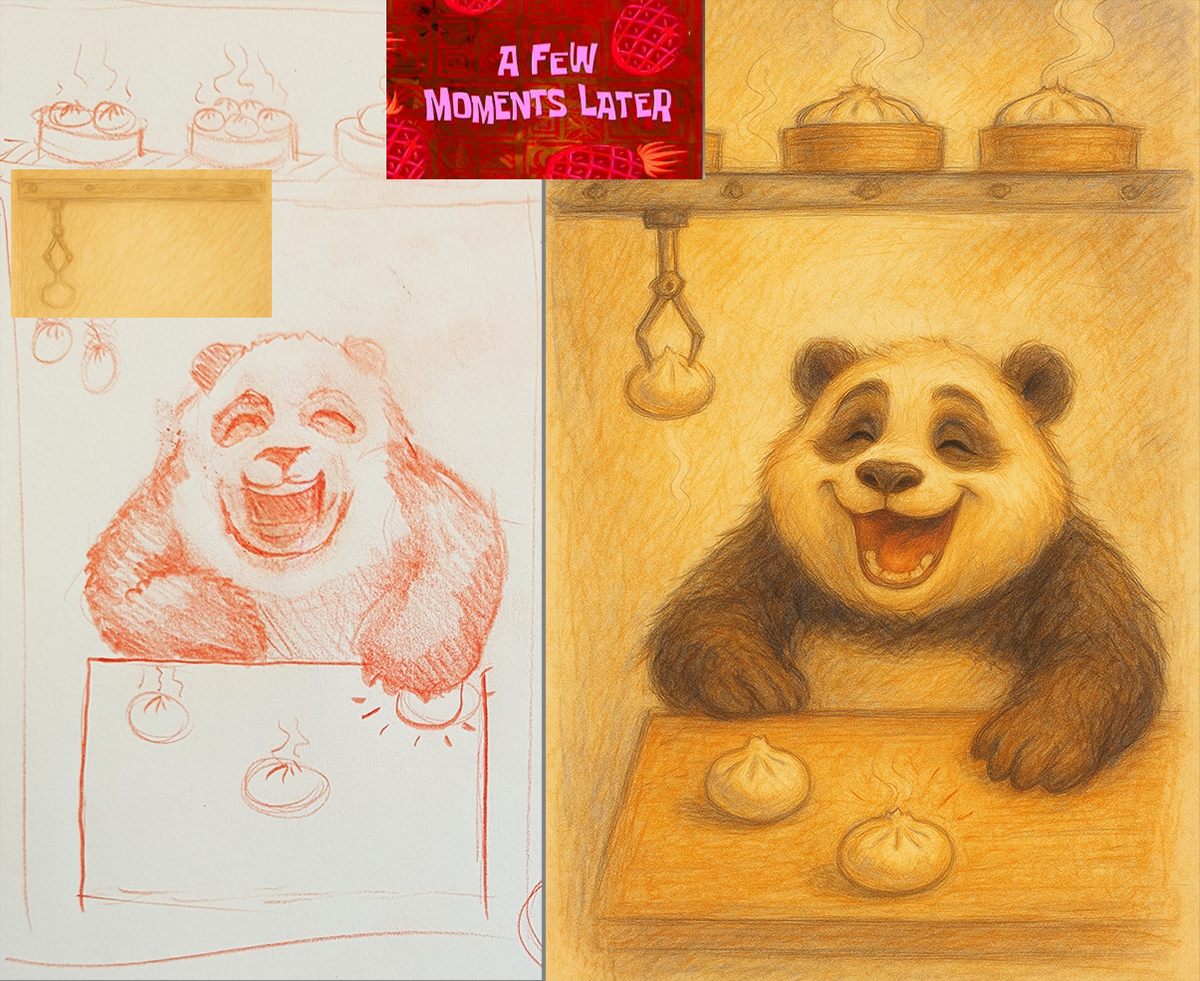
I fed my Panda sketch into the AI program and prompted up what I would do for a digital second pass.
Clean up the rough drawing. Keep it sketchy & color minimal. Refine the art style and character appeal that I’m envisioning.
I wasn’t asking AI to invent something for me. I already had the idea and a visual starting point. I was using it to get from an idea on paper to what it might actually look like much faster than I could have otherwise.
Bringing it Back – Artist 2nd Pass
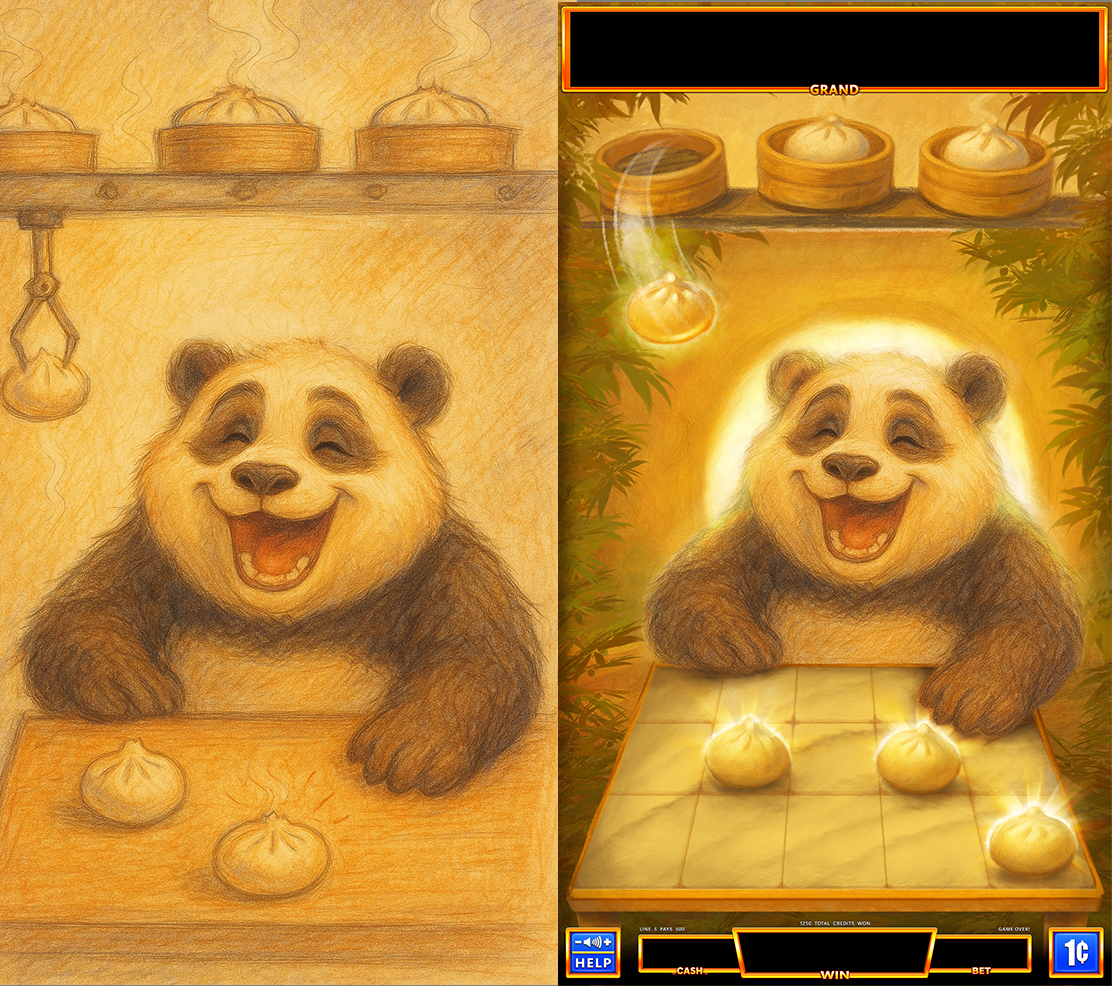
Once I had a Panda I liked, I brought him back into Photoshop.
I added our template game UI, built the marble reel/table for the baozi, created a nice pencil hatching PS brush to keep that nice texture going, painted in bamboo, the glowing moon-gate background, and some early VFX ideas around the buns.
That became the basic idea: Start with Art. Enhance with AI. Bring it back for another Art pass. Repeat.
Sketch. Collaborate. Elevate.
What would it look like with a different character in the same style?
Let’s use AI to test if the appeal is any better with… a lil baby? How about a cute tiger?
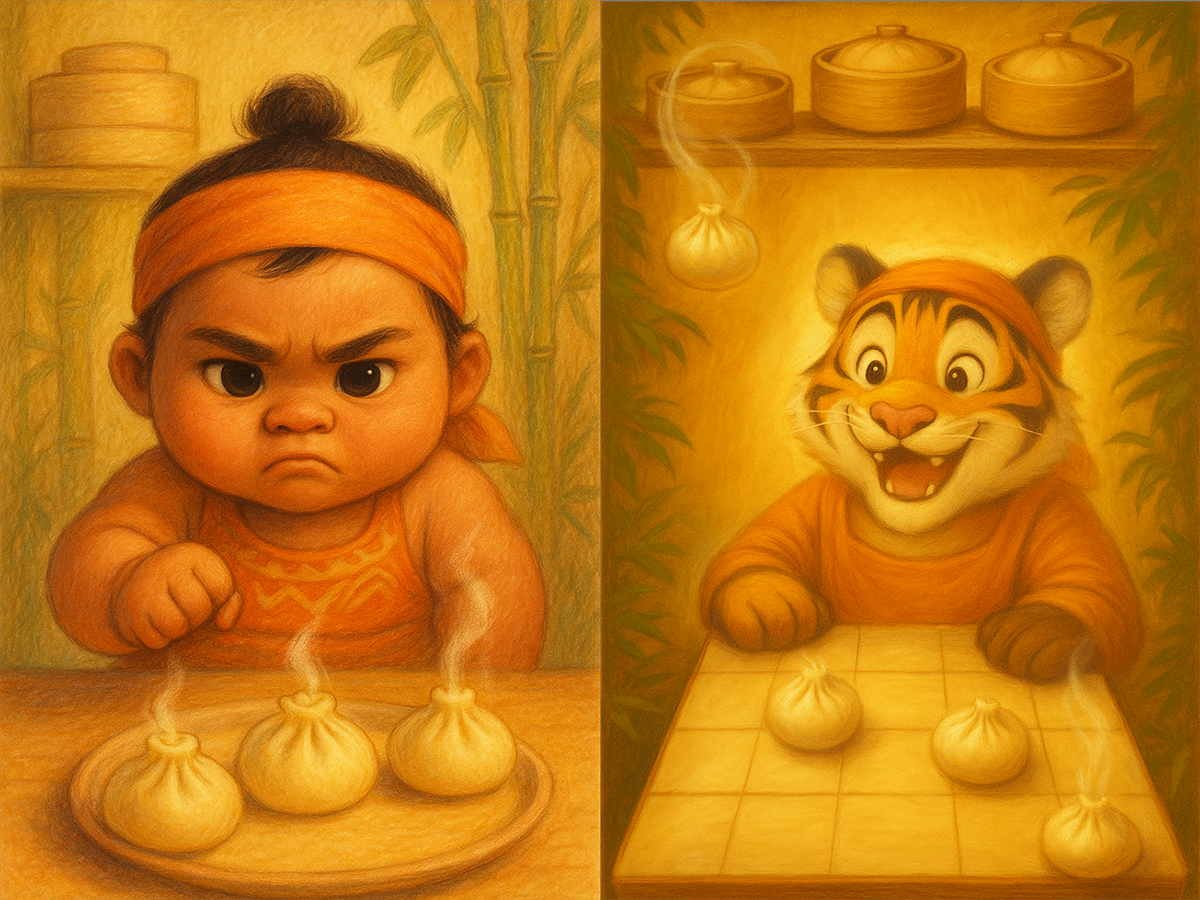
woah baby. they’re all yours. relax. walking away now.
From Experiment to Workflow
Once I found something useful, I started sharing it with the team. I demoed the approach to some of the art team, and we began testing where AI could fit into the way we worked.
The best results came when the artist stayed involved throughout: start with their own drawings or ideas, use AI to explore or refine them, then bring the results back into the artist’s hands. That loop could continue into storyboards, model sheets, turnarounds, mouth shapes, and other production prep.
That became the pattern that felt right:
Artist – AI – Artist – AI – Artist….
AI was augmenting our craft, opening up new possibilities in speed, quality, iteration, and style exploration. With market experience & good judgement, this combo is super effective.
What I Learned
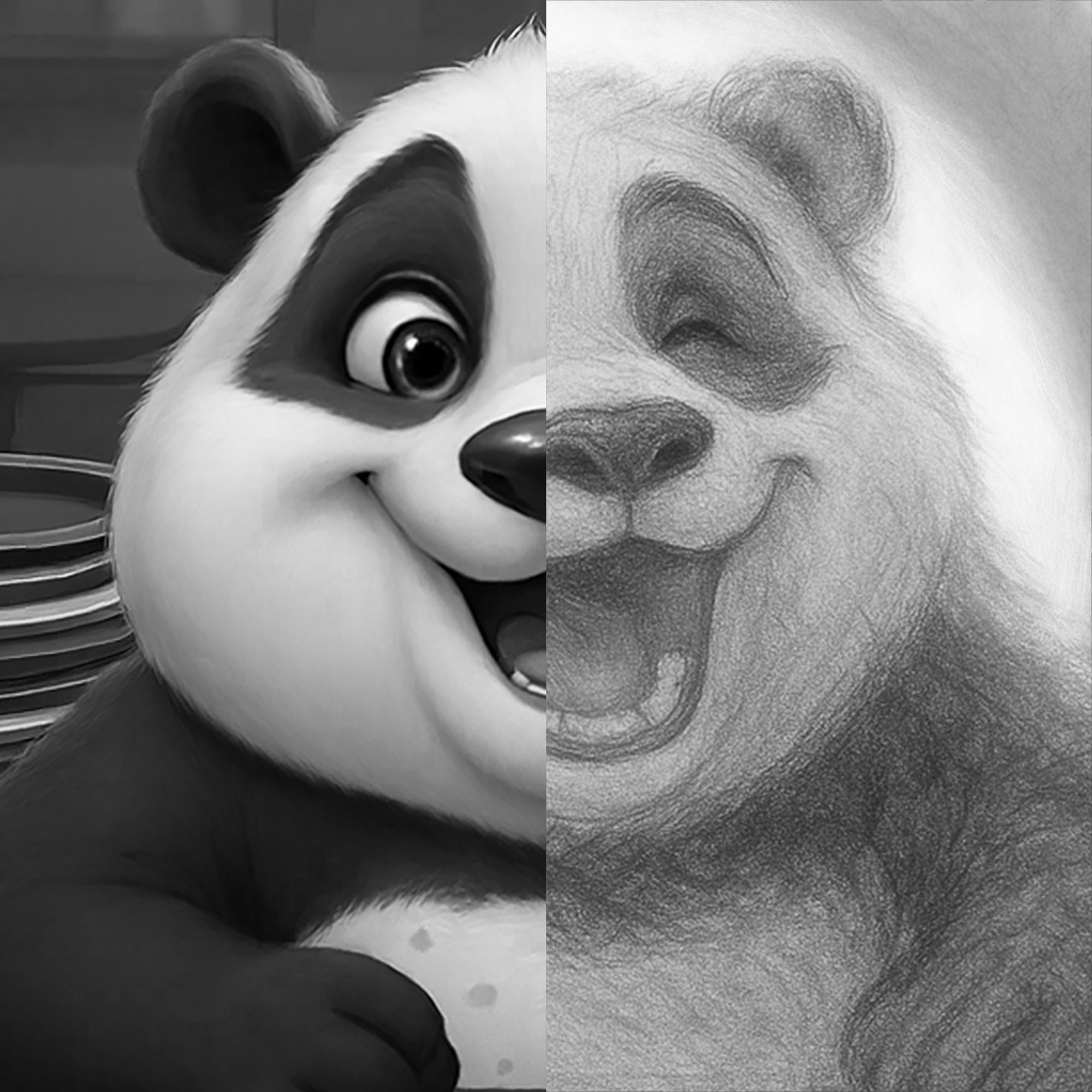
AI is great at what it does: creating images quickly. That doesn’t mean it has good taste, follows direction well, understands feedback, maintains consistency, or knows what you’re actually trying to accomplish. No matter what tools you’re using to generate game art, it has a job to do:
- Support the game design & reinforce features.
- Guide the player’s attention & communicate what’s important.
- Maintain best practices of animation & optimization, and function as part of the game.
AI x Art can be a double-edged sword.
It needs process, judgment, and a thoughtful hand around it.
- Art can suddenly outrun everyone else & get ahead of its own skis.
- Art micromanagers are now super-powered.
- Is the work legally defensible?
- Can you still respond to feedback while maintaining consistency?
- Superficially good-looking images can hide problems in the art.
AI can be a fantastic Art Direction tool:
- Vet ideas visually before giving it as direction or feedback.
- Create faster paintovers and visual callouts.
- Explore styles, moods, palettes, & compositions much earlier.
- Help refine feedback.
- Check for copyright & legal defensibility more easily.
- Get to reviewable direction earlier
Despite any challenges in the pipeline & usage guidance, one thing is crystal clear:
We can get to useful decisions faster.
Explore before committing.
Kill weak directions before spending weeks polishing them.
Give artists and Art Directors more ways to test ideas
while they’re still cheap to change.
That’s where I’ve found AI most useful –
not skipping the creative process, but making it more efficient.
Credit / Context
Artwork shared above is Copyright of IGT, and some are a collaborative effort.
NEXT CASE STUDY / LINK
use image
 PATRICK THOMPSON